12, 15 or 15.6-Inch POS Screen: Test the Interface Before Choosing
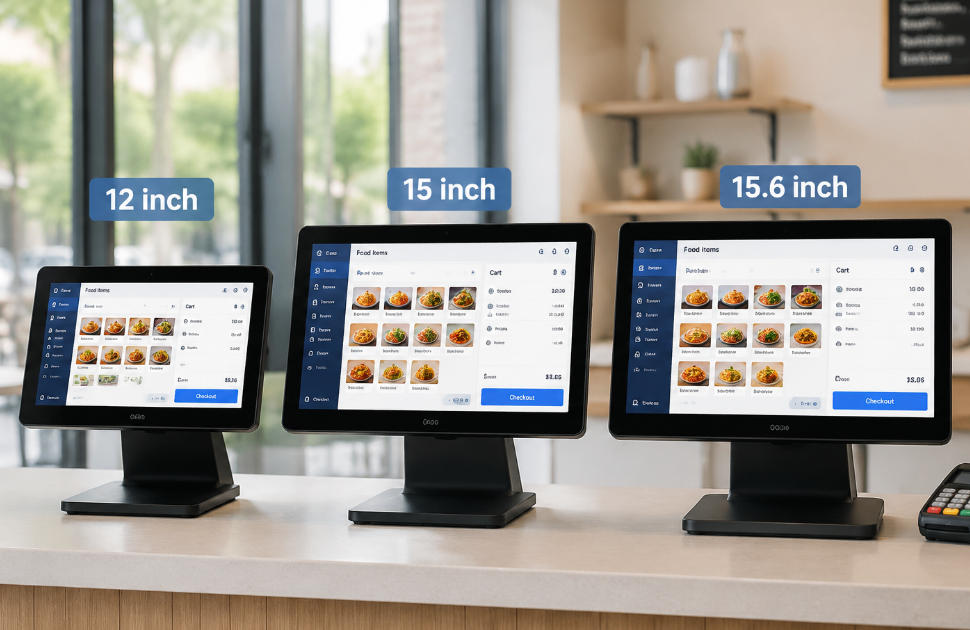
Compare common POS display sizes through application layout, touch targets, counter fit, resolution and viewing distance.
Screen diagonal alone does not tell you how usable a POS will be. Resolution, aspect ratio, scaling and the application layout determine how much information fits and how easily staff can select it. Compare 12, 15 and 15.6-inch candidates using the actual software at the intended counter.

Match the panel to the task
A compact screen can suit a short menu or small counter, while a larger panel may help with item grids and long transaction lists. Wider formats may offer useful side panels if the application supports them. Increasing resolution without appropriate scaling can make controls smaller rather than clearer. Check standing distance and any required customer sightline.
Run a hands-on layout test
- Enter a representative basket, including long product names and modifiers.
- Test touch targets, on-screen keyboard and error messages.
- Check glare, brightness and viewing angle under site lighting.
- Measure the complete stand footprint and service clearance, not just panel width.
- Confirm secondary-display behavior if a customer screen is fitted.
Choose the smallest comfortable format
Observe staff completing normal and exceptional tasks without workarounds. Include accessibility needs and any protective overlay in the test. Record resolution and scaling with the approved panel so later substitutions remain usable. The best size is the one that fits the application and workplace comfortably, not automatically the largest diagonal in the quotation.