Desktop POS Hardware Fault Isolation: A Technician's Starting Sequence

Distinguish terminal, display, storage and peripheral faults with a controlled diagnostic sequence that preserves evidence and avoids unnecessary hardware swaps.
Hardware troubleshooting is most effective when each test answers one question. Reinstalling software, changing a power supply and replacing a scanner together may restore a till, but it leaves the root cause unknown. Start with a reproducible symptom and protect the business data before attempting deeper investigation.

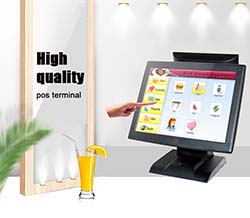
Establish a known baseline
Record whether the fault occurs before the operating system loads, during application start-up or only during a specific transaction. Note recent updates and attached devices. Disconnect nonessential peripherals only after a safe shutdown and in accordance with the service procedure. Use approved replacement parts; an electrically incompatible adapter or drawer cable can create a second fault.
Interpret the symptom carefully
- No display with power present: check brightness, display selection and external-screen behavior where the model supports it.
- Touch failure with a working image: inspect the touch connection, driver and input mapping rather than assuming the LCD is defective.
- Intermittent freezing: collect temperature, storage-health and operating-system logs before concluding that the processor is inadequate.
- One failed peripheral: test its approved utility and known-good cable before changing the terminal image.
Know when to stop
Do not open sealed or mains-powered components without authorization and appropriate qualifications. Preserve diagnostic logs and the exact reproduction steps for the supplier. After repair, retest both normal transactions and the original failure condition. Keep the confirmed cause in the maintenance record so that the same symptom at another station can be investigated without repeating speculative changes.