POS Across Industries: Why the Same Terminal Needs Different Workflows
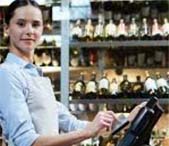
Compare retail, hospitality and service checkout requirements to understand which capabilities belong to software and which affect hardware selection.
A touchscreen terminal can appear in many industries without providing the same system in each one. Retailers focus on stock and product codes, restaurants on orders and preparation, and service businesses on appointments or account balances. Choose the workflow first, then specify a workstation that supports its inputs, outputs and operating conditions.


Compare the work performed at the counter
- Retail: scanning, product variations, promotions, exchanges and stock adjustments need accurate item records.
- Hospitality: modifiers, table allocation and kitchen communication require suitable application routing and network design.
- Services: bookings, deposits, staff attribution and mixed service-product receipts need business-specific software.
- Transport and ticketing: identification, ticket output and unattended recovery often require specialized modules and integration.
Translate differences into hardware requirements
A grocery counter may need a compatible legal-for-trade weighing workflow, while a café prioritizes visible order buttons and a reliable printer route. A showroom may need less scanning but more document handling. Screen size, port count and mounting should follow these tasks rather than a generic industry label. Payment-device suitability must still be confirmed with the provider.
Do not confuse a platform with a complete solution
Inventory management, appointments and loyalty rules come from the chosen software, not from the terminal's processor. Validate the whole setup using representative transactions and exceptions from the intended industry. Record the configuration and the party responsible for each integration. This approach lets a common hardware platform serve different businesses without making unsupported claims that every function is included as standard.