POS Machine vs POS System: Understand What a Quote Actually Includes
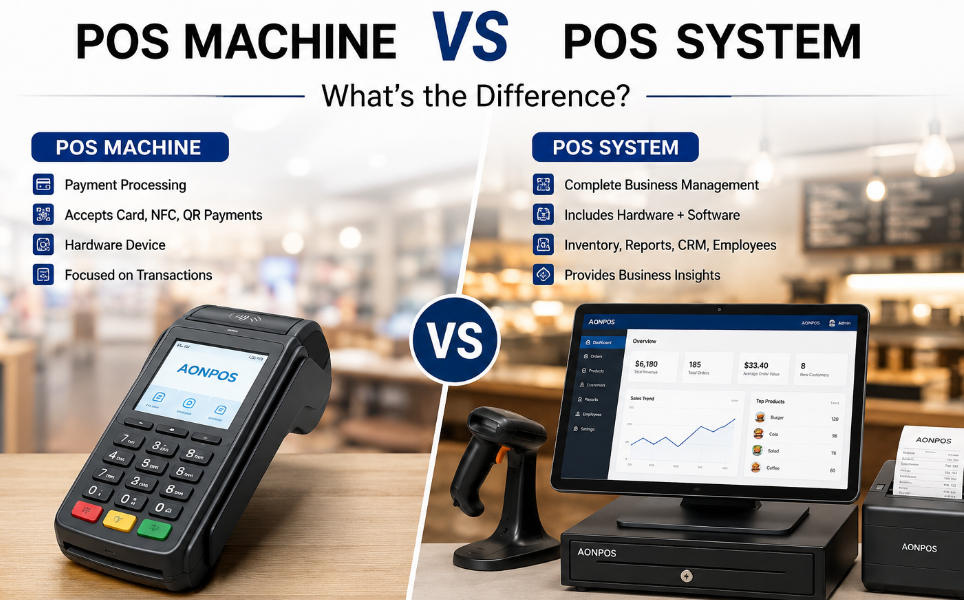
Distinguish the terminal from the complete POS system so hardware, software, payment and support responsibilities are explicit before purchase.
A POS machine is a physical device used at checkout. A POS system is the wider arrangement of devices, application software, data and services that completes the business transaction. Suppliers sometimes use the terms loosely, so a quotation should spell out the included scope rather than rely on the product name.

Break the package into layers
The terminal runs an application and provides touch or keyboard input. Peripherals scan, print, display or handle cash. The application defines pricing, stock and staff permissions. A payment provider commonly authorizes and settles electronic payments. One company may bundle these layers, but their support and licensing obligations should remain identifiable.
Ask scope questions before ordering
- Is the operating-system licence included, and which edition is supplied?
- Which sales application and integrations are included or purchased separately?
- Are scanners, printers, drawers and customer displays standard or optional?
- Who provides payment acquiring and approves the device configuration?
- Who installs, updates and restores the complete workstation?
Test the system, not only the machine
A terminal that starts successfully may still lack drivers, product records or a working payment route. Run a sale, refund and reconciliation with all components. Keep the approved configuration and service contacts together. This distinction prevents a hardware purchase from being mistaken for a ready-to-trade business system and makes future support requests much easier to route.