AP04 Retail POS Upgrade: A Deployment Review and Acceptance Checklist
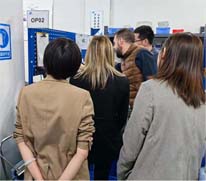
Review the AP04 retail upgrade scenario through software validation, staff preparation and measurable acceptance criteria rather than unverified performance claims.
The existing AP04 project account describes a retailer replacing aging Windows checkout equipment with desktop POS terminals. Its useful lesson is the deployment sequence: hardware replacement must be coordinated with inventory software, peripheral connections and staff routines. The account does not provide independently verified timing or revenue measurements, so it should not be read as a quantified performance benchmark.


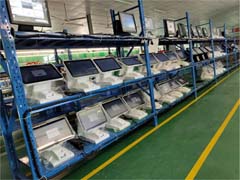
Translate the original problem into testable requirements
Frequent faults and transaction delays were the reasons given for the upgrade. Before selecting a replacement configuration, document which delays come from the computer, local database, network or payment service. Installing a newer terminal cannot by itself correct missing product records or a slow upstream service. Preserve the working software configuration and confirm licensing and driver requirements.
Validate the whole checkout station
- Run the retailer's actual software image on the proposed AP04 configuration.
- Test scanning, price lookup, discounts, returns and end-of-day reconciliation with representative stock records.
- Check printer, drawer and payment-device behavior after a restart and after a connection interruption.
- Train staff on the revised layout before moving the remaining checkout stations.
Measure the outcome instead of assuming it
A sensible acceptance record compares error frequency, transaction completion time and support incidents before and after installation under comparable conditions. Keep sample size and observation dates with the results. For a similar project, ask zwdpos to confirm the current AP04 configuration and compatibility in writing; this deployment review does not establish a universal specification or guarantee the same result in another store.