Desktop Self-Checkout Hardware: Reviewing the Dual-Display Configuration
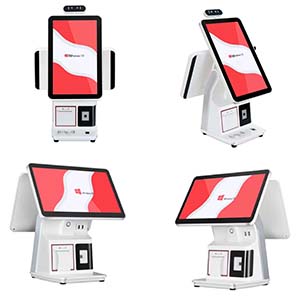
Understand the documented desktop self-checkout configuration, its scanner and printer workflow, and the checks needed before deploying an older Windows-based design.
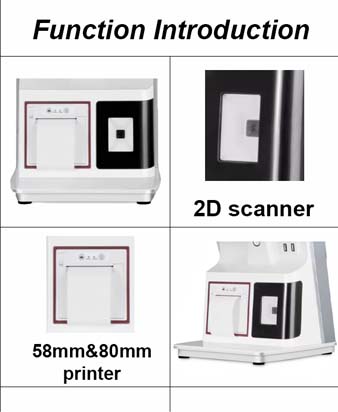
A desktop self-checkout terminal brings several customer-facing devices into one counter footprint. The configuration previously described for this unit includes a Core i3 processor, 4 GB DDR3 memory, a 128 GB SSD, two 15.6-inch displays, a QR scanner and an integrated 58 mm printer. These are the published configuration details, not a promise that every current order uses identical components.

Check the operating-system lifecycle first
The original listing references Windows 10. Standard Windows 10 support ended in October 2025; special editions and extended-support arrangements have different conditions. For a new deployment, confirm the exact edition, supported operating-system options, application compatibility and security-update plan with the supplier. Do not select an unsupported image simply because it starts successfully.
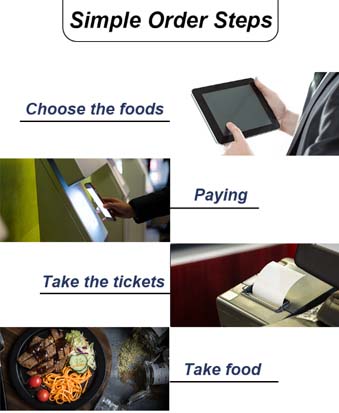
Test the customer journey on the actual unit
- Confirm that each display shows the intended content and that touch input maps to the correct screen.
- Scan paper and phone-displayed codes at realistic angles and brightness levels.
- Check whether a 58 mm receipt accommodates required tax, item and refund information legibly.
- Reproduce printer-out-of-paper, payment cancellation and interrupted-network scenarios before launch.
Agree what the hardware package includes
A scanner and printer do not supply payment acquiring, inventory logic or a complete self-checkout application. Define who provides the software, approved payment terminal, integration and support. Confirm port assignments, power requirements and replacement access against the final sample. Keep a signed configuration record so future units can be checked against the approved build rather than an old promotional description.