Importing POS Hardware: Documents and Responsibilities to Confirm
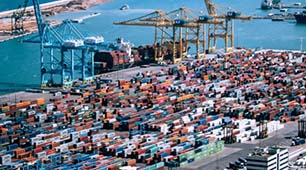
Prepare a POS hardware shipment by aligning the product specification, destination requirements, trade terms and arrival checks with your supplier and customs adviser.
Importing checkout equipment involves more than arranging freight. The shipment must match its commercial documents, and the equipment must meet the requirements applicable in the destination market. Those requirements vary by product configuration and jurisdiction, so confirm them with a qualified customs broker or compliance adviser rather than treating a general article as legal advice.

Define the goods precisely
Use an agreed bill of materials identifying terminals, wireless modules, power supplies and accessories. Ask your adviser to confirm classification and any applicable conformity, labelling or import obligations. Request evidence relevant to the actual model; documents for a similar enclosure may not cover the final electronics or radio configuration.
Resolve shipment responsibilities before dispatch
- Confirm the Incoterm and named place, including who arranges insurance and handles destination formalities.
- Check commercial invoice, packing list, quantities, serial records and country-of-origin information for consistency.
- Agree packaging and handling needs, including any batteries or separately regulated components.
- Confirm licences, recovery media and manuals that must accompany the equipment.
- Document warranty returns and who bears the transport and customs costs of replacements.
Inspect on arrival
Record package condition, count devices and compare serial numbers with the packing list before distributing units. Test samples against the approved image and peripheral configuration. Keep shipment records with the purchase order so later technical or customs questions can be answered. Never assume that a successful previous shipment establishes compliance for a changed model or a different destination.