Improving Store Efficiency with POS: Measure the Work You Want to Remove

Identify repeated work in checkout, inventory and reconciliation, then test whether a POS workflow removes it without shifting errors elsewhere.
POS efficiency should be measured in completed work, not the number of features on a dashboard. Start with a recurring task that takes too long or produces corrections. Record how it works today and identify the data, permissions and equipment needed to improve it.

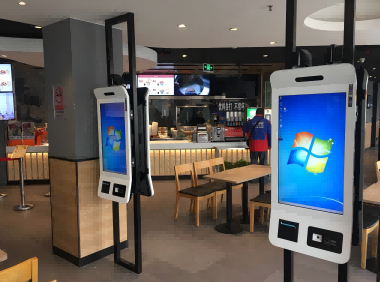

Follow one transaction end to end
Observe item entry, discount approval, payment, receipt delivery and reconciliation. Note where staff wait, switch applications or copy information. A slow checkout may reflect a missing barcode or an unclear approval rule rather than inadequate processor performance. Correct the process and product records before assuming the solution is a hardware replacement.
Choose a small set of indicators
- Measure representative basket completion time under comparable conditions.
- Count price corrections and failed lookups instead of relying on staff impressions.
- Review reconciliation effort and unexplained adjustments at shift close.
- Track support incidents and the time required to restore a station.
Review the pilot honestly
Include training time and exception handling when comparing the new process with the baseline. Check that faster checkout has not created inaccurate stock or incomplete records. Keep successful configurations documented and retain a fallback during rollout. Hardware enables the application to operate; lasting efficiency comes from a workflow that staff can follow consistently and managers can verify.