Fanless or Fan-Cooled POS: A Cooling Decision for Commercial Counters
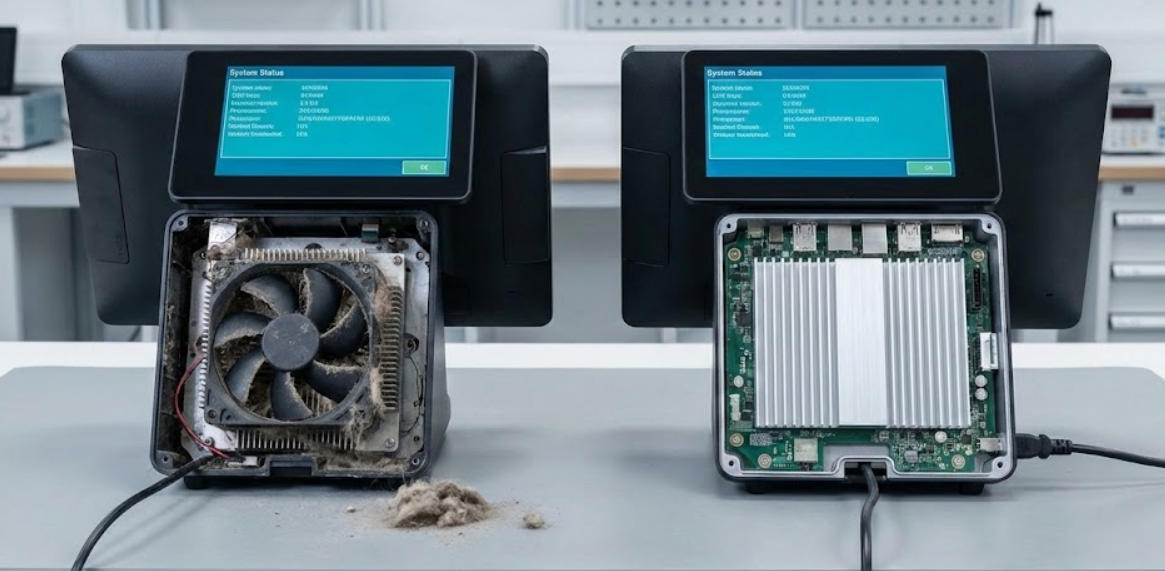
Compare fanless and fan-cooled POS designs through workload, contamination, ambient temperature, service access and measured thermal behavior.
Fanless and fan-cooled terminals manage heat differently. Fanless designs can reduce moving parts and draw less airborne dust into an enclosure, while a fan-cooled design may dissipate a higher sustained load. Neither design is universally more durable; the enclosure, workload and environment determine the result.

Match cooling to the site
Record ambient temperature, dust, flour, grease, fabric fibers and operating hours. A quiet office counter and a hot kitchen pass have different thermal requirements. Check the complete terminal's rated limits and keep vents, heat sinks and surrounding clearance unobstructed. Avoid placing any design against a heat source or inside an unventilated cabinet.
Test under sustained load
- Run the real application and connected devices for a representative busy period.
- Monitor temperature, throttling, restarts and application response.
- Check whether the fan profile creates an unacceptable noise or maintenance issue.
- Inspect cleaning and service access without opening equipment outside authorized procedures.
- Confirm spare and replacement options for fans, filters or power components where fitted.
Make the choice for the whole lifecycle
A fanless terminal may suit a modest workload in a clean, properly ventilated environment. A fanned unit may provide useful thermal headroom for a sustained workload if its intake can be maintained. Compare measured stability and service effort, not a blanket durability claim. Keep the approved thermal conditions in the installation guide so the chosen design is not accidentally operated outside its intended environment.