Single-Screen or Dual-Screen POS: Choose the Display by Workflow
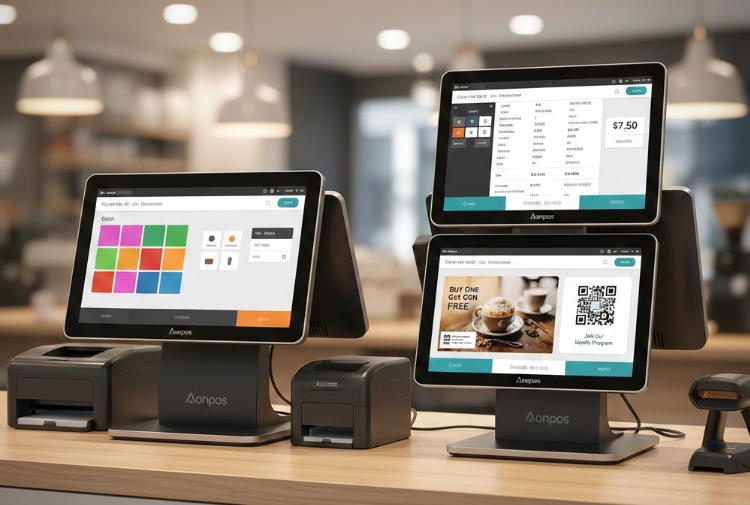
Decide between single and dual-screen POS by examining cashier tasks, customer visibility, counter space, software support and service cost.
A second POS screen is useful when it improves a defined customer or staff interaction. It can show a basket, total, loyalty prompt or promotion while the cashier works on a separate display. It also adds mounting, cabling, display configuration and replacement considerations. Choose it because the workflow needs it, not because two panels look more advanced.

Compare the working positions
A single screen can be simpler for compact counters and straightforward transactions. Dual screens may help when customers should verify items or when the application separates cashier controls from customer content. Test sightlines, touch capability, privacy and readability from the actual standing positions. Confirm whether the customer panel is touch-enabled or display-only.
Validate software and installation
- Check application support for independent windows, resolutions and screen recovery.
- Confirm the terminal has suitable display outputs and enough power for the approved panels.
- Plan cable routing, cleaning and replacement access at the counter.
- Test what appears when the application, network or payment flow is interrupted.
- Keep customer-facing content free of staff controls and previous-session data.
Calculate the practical trade-off
Include additional mounting, service and spare costs. Observe whether the second screen reduces questions or merely distracts customers. Run representative transactions and ask staff to recover from a restart. A single-screen station is often the better choice when the extra panel has no supported purpose; a dual-screen arrangement earns its space when it makes the service clearer and remains easy to maintain.